User Guide
Getting Started
What is Instagram Unfollow Tracker?
Instagram Unfollow Tracker is a privacy-focused tool that analyzes your Instagram data export to help you understand your follower relationships. It shows you who unfollowed you, who you follow but doesn’t follow back, and provides insights into your Instagram network.
Key Benefits
- 100% Private: All processing happens in your browser
- No Login Required: Uses official Instagram data export
- Free to analyze: Every badge, filter and account, at any export size — the one paid item is a $7 one-time export unlock
- Open Source: Transparent and auditable code
- 10 Languages: Including Arabic with RTL support
- PWA Ready: Install as an app from the browser menu
- Handles 1M+ accounts: Built and unit-tested for exports of 1,000,000+ accounts
Step-by-Step Tutorial
Step 1: Download Your Instagram Data
- Open Meta Accounts Center and click “Create export”
- Choose your Instagram profile › “Export to device”
- Select only “Followers and following” › date range “All time” › format “JSON”
- Review the settings and click “Start export”
- Wait for Instagram’s email (usually 5-30 minutes; large accounts can take a few hours) and download the ZIP file
📖 Detailed instructions: See Instagram Export Guide
Step 2: Upload Your Data
- Open Instagram Unfollow Tracker
- Click “Upload ZIP” or drag & drop your ZIP file
- Wait for processing to complete (usually 1-3 seconds)
- Your data is now ready for analysis!
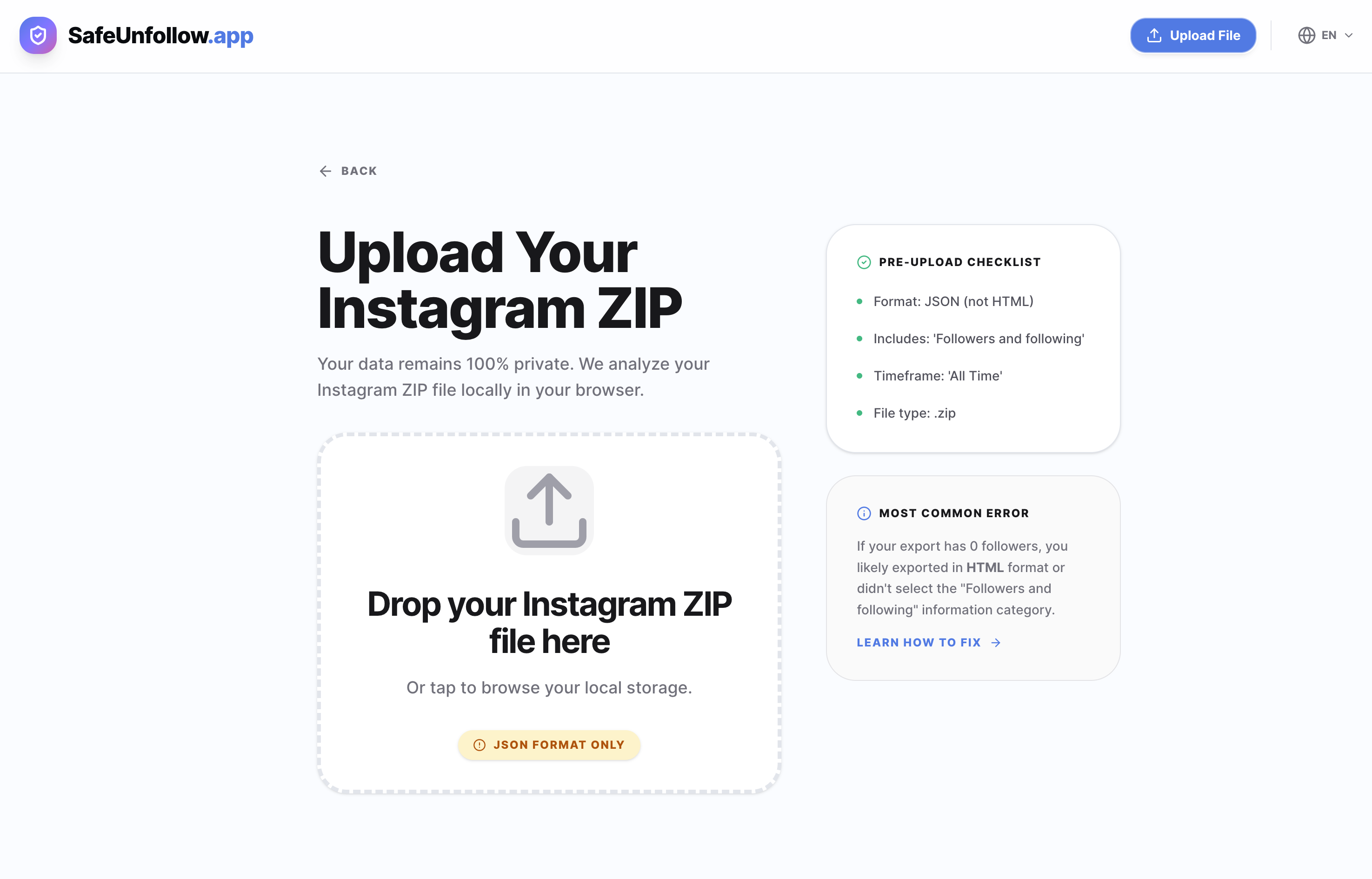 Drag and drop your Instagram ZIP file to get started
Step 3: Explore Your Results
- View all accounts: See your complete follower/following list
- Use filters: Click badge filters to see specific account types
- Search: Type usernames to find specific accounts
- Click profiles: Open Instagram profiles in new tabs
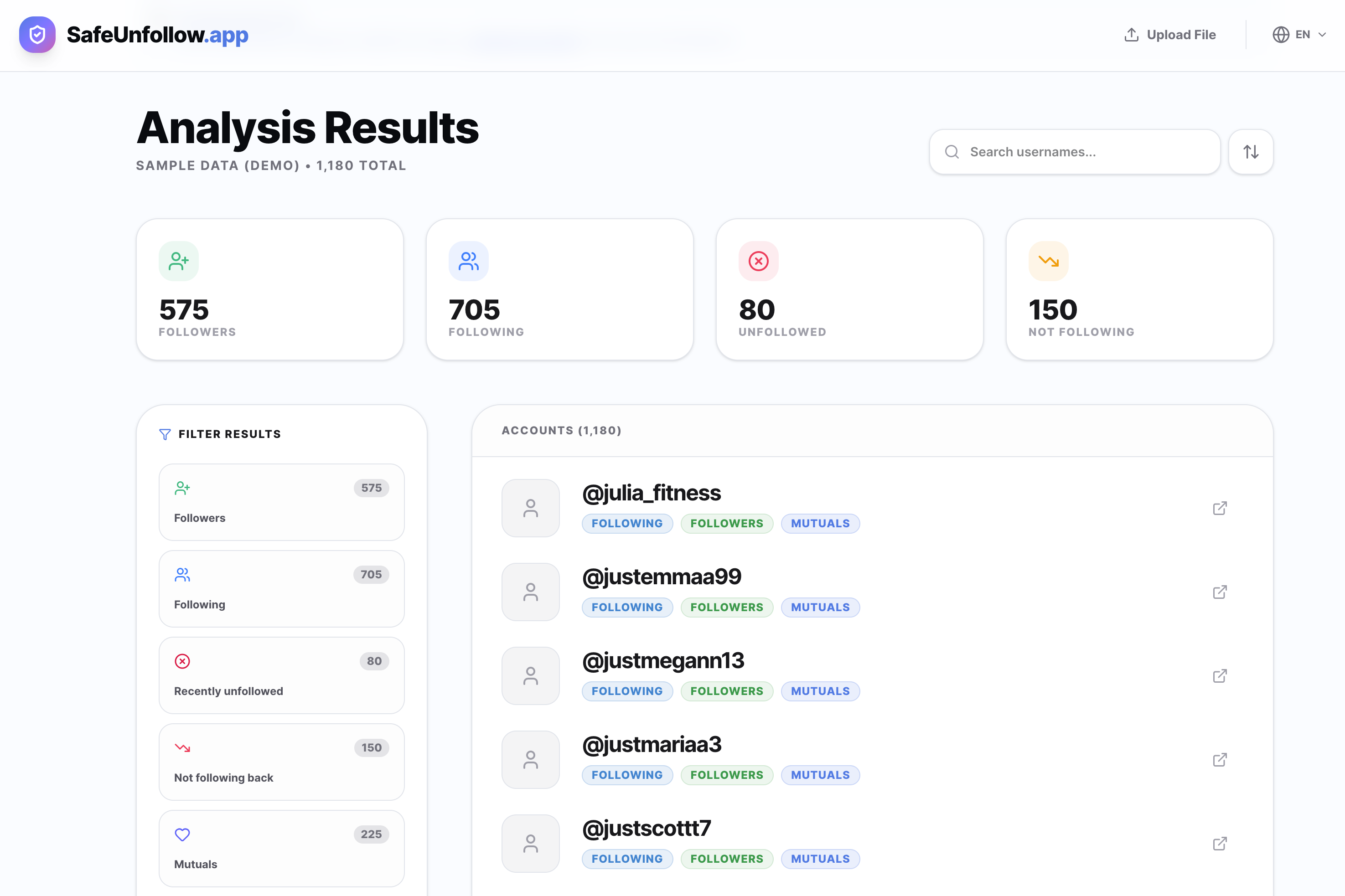 Full interface with filtering, search, and detailed account information
Understanding the Results
Account Badges
- Following: Accounts you follow
- Followers: Accounts that follow you
- Mutuals: Accounts that follow each other
- Not following back: You follow them, they don’t follow you
- Not followed back: They follow you, you don’t follow them
- Close friends: Marked as close friends in Instagram
- Pending: Follow requests waiting for approval
- Restricted: Accounts you’ve restricted
- Unfollowed: Recently unfollowed accounts
Statistics
- Total accounts: Combined followers and following
- Filter counts: Number of accounts in each category
- Search results: Number of accounts matching your search
Advanced Features
Filtering
- Single filter: Click any badge to see only those accounts
- Multiple filters: Hold Ctrl/Cmd and click multiple badges
- Select All: Click to select all available filters
- Clear All: Click to clear all selected filters
Search
- Real-time search: Results update as you type
- Case insensitive: Works with any capitalization
- Partial matches: Find accounts with partial usernames
- Clear search: Click the X to clear search results
Sorting
- By username: Alphabetical order (A-Z or Z-A)
- By date: When the account was added (if available)
- Default: Original order from Instagram export
Tips for Best Results
Data Quality
- Use recent exports: Download fresh data for accurate results
- Complete data: Select “All time” when downloading
- Either format: JSON and HTML exports are both read; JSON is what the export guide selects
Performance
- Close other tabs: Free up memory for better performance
- Use desktop: Better performance for large accounts (10k+ followers)
- Be patient: Large exports may take 5-10 seconds to process
Privacy
- Keep data secure: Don’t share your ZIP file with others
- Delete when done: Remove the ZIP file after analysis
- Use incognito: Consider using private browsing mode
Troubleshooting
Common Issues
- “No data found”: Check that you selected “Followers and following” when creating the export
- Slow processing: Close other browser tabs and use desktop browser
- Missing accounts: Instagram may split large follower lists into multiple files
Getting Help
- FAQ: Check Frequently Asked Questions
- Issues: Report bugs on GitHub Issues
- Discussions: Ask questions in GitHub Discussions
Privacy & Security
Your Data
- Never leaves your device: All processing happens in your browser
- Local storage only: Data stored in IndexedDB (browser-local)
- Privacy-respecting analytics: Anonymous usage stats only (Umami)
- Open source: You can review the code yourself
Best Practices
- Secure storage: Keep your ZIP file in a secure location
- Regular cleanup: Delete old exports when no longer needed
- Browser security: Use updated browsers and clear data regularly
📖 More details: See Privacy Policy
What’s Next?
Already Live (v1.5.0)
- ✅ PWA Support: Install as an app from the browser menu
- ✅ 10 Languages: EN, ES, RU, DE, PT, TR, ID, JA, AR (RTL), FR
- ✅ 3-way Theme: Light / Dark / System
- ✅ 1M+ Accounts: Filtering stays interactive as the list grows — built and unit-tested at 1M accounts
- ✅ File Export: Free 10-row sample, then a one-time unlock (price shown on the button in your currency) for the full CSV/JSON file
Upcoming Features
- 🔄 Historical Tracking: Compare multiple exports (v1.7)
📖 Full roadmap: See Project Roadmap
Contributing
- Report bugs: Help improve the tool
- Suggest features: Share your ideas
- Contribute code: Help develop new features
📖 How to contribute: See CONTRIBUTING.md
This user guide is designed to help you get the most out of Instagram Unfollow Tracker. For technical details, see Technical Specification.
Last updated: