Open Meta Accounts Center → Create export → Select your profile → Choose "Export to device" → Select only "Followers and following" → Set format to JSON. Download the ZIP when ready (usually 5-30 minutes), then upload it here. The tool analyzes followers locally—see unfollowers instantly. No login needed.
V1.6 Optimized for 1,000,000+ Accounts
Check Instagram Unfollowers
Without Logging In
Find out who unfollowed you on Instagram — free, no login required. Upload your ZIP file, analyze locally. 100% Private. Works offline.
Completely Free • Forever
No Password • No Account Risk
100% Private • Local Analysis
Key Features
100% Local
No data ever leaves your device
No Login
No risk of account bans or hacking
High Scale
Handles 1M+ accounts at light speed
Open Source
Audit our code, we value your trust
How to Check Your Instagram Unfollowers
Follow these 9 simple steps to securely analyze your account without sharing your password.
- 1
Open Instagram Export Page
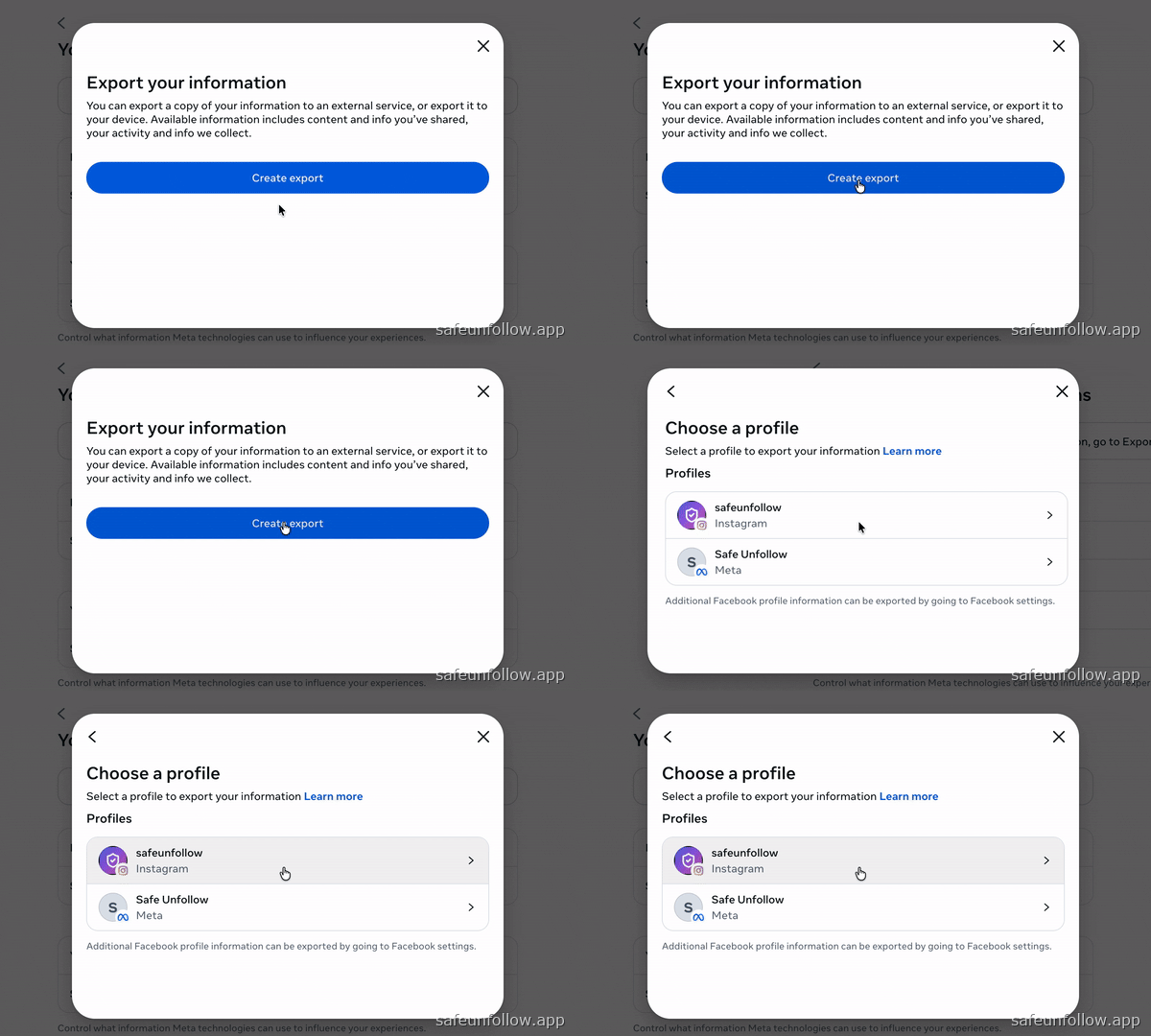
Click the button to open Meta Accounts Center. Then click "Create export" to begin the process.
 Open step in guide
 - 2
Choose Your Instagram Profile
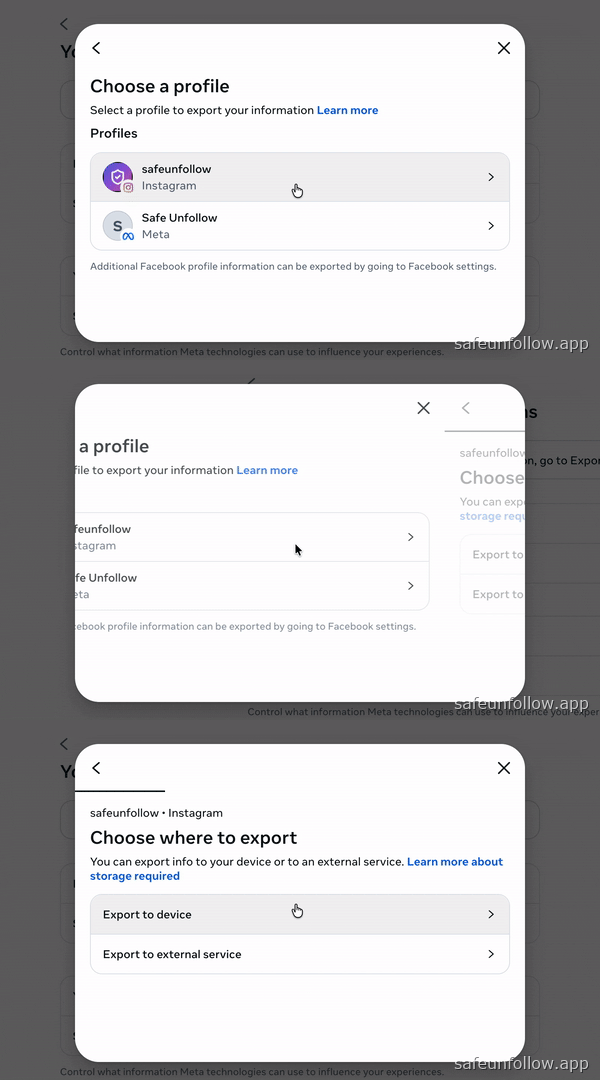
Select your Instagram account from the list of connected profiles in the Accounts Center.
 Open step in guide
 - 3
Select "Export to device"
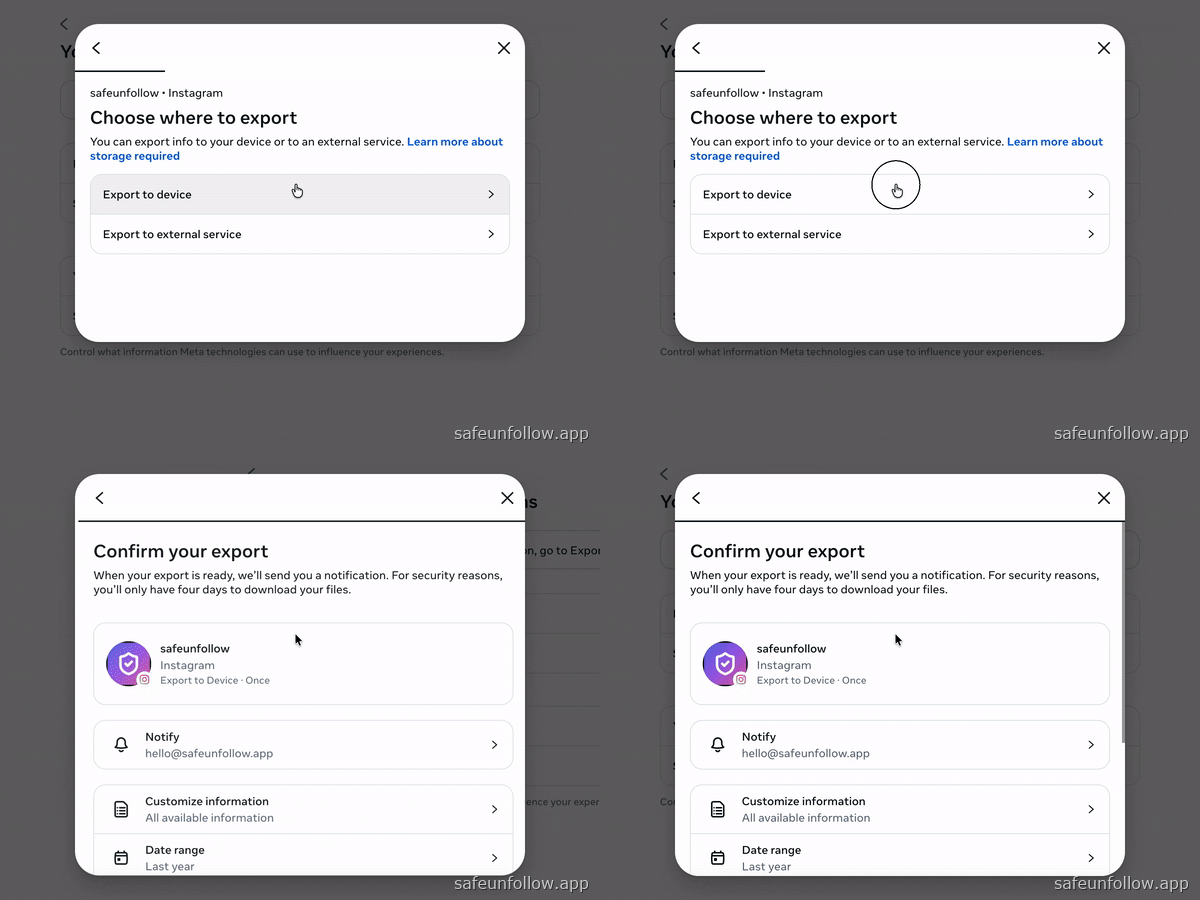
Choose to export directly to your device. This keeps your data private and secure.
 Open step in guide
 - 4
Select Only "Followers and following"Critical
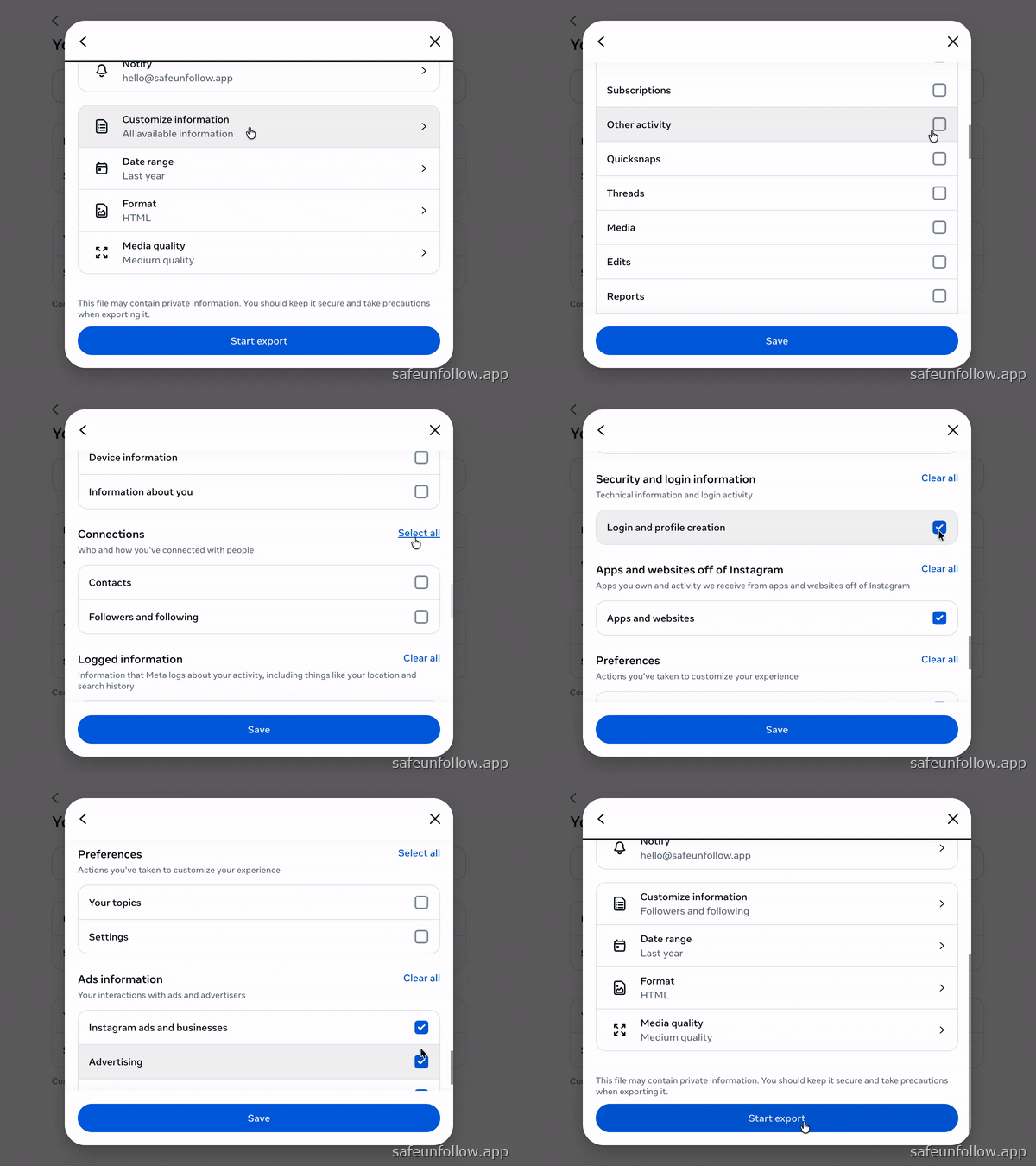
Click "Customize" → Clear all → Check ONLY "Followers and following". This keeps your file compact.
 Open step in guide
 - 5
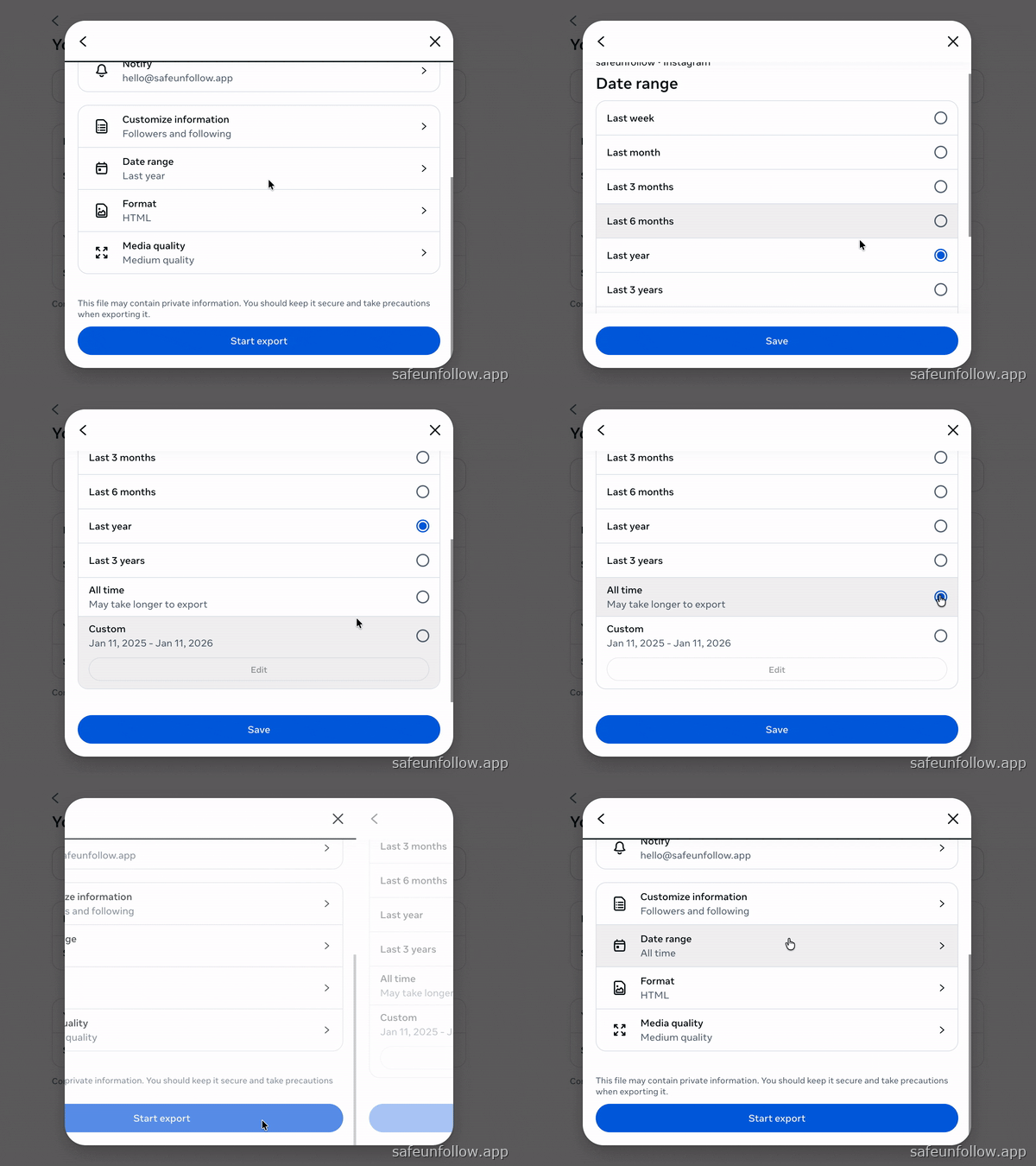
Set Date Range to "All time"
Click "Date range" → Select "All time" → Save. This ensures complete follower history.
 Open step in guide
 - 6
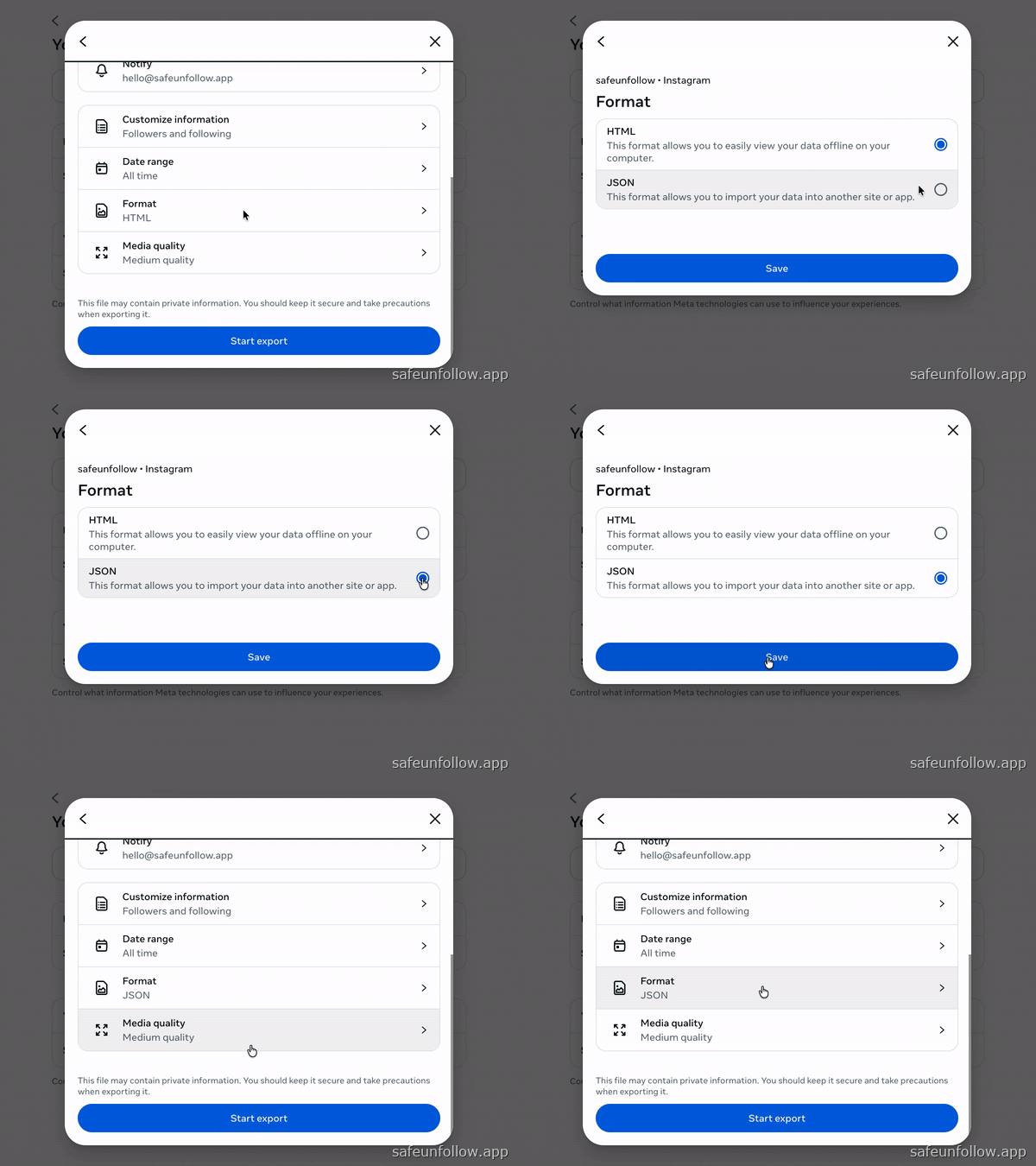
Change Format to JSONCritical
Critical step! Click "Format" → Select "JSON" (not HTML). HTML files will NOT work.
 Open step in guide
 - 7
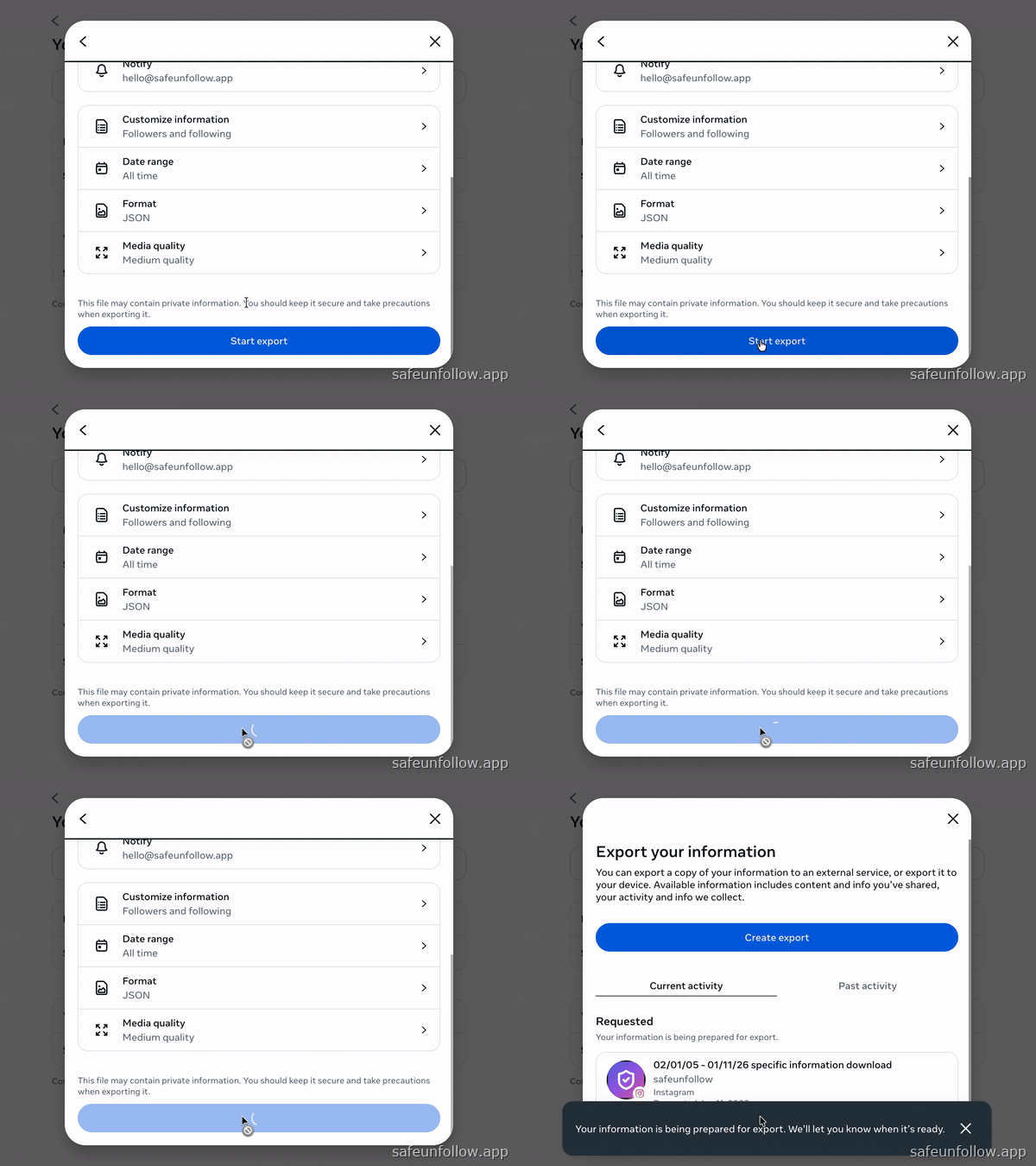
Review & Start Export
Verify settings: Followers and following, All time, JSON. Then click "Start export".
 Open step in guide
 - 8
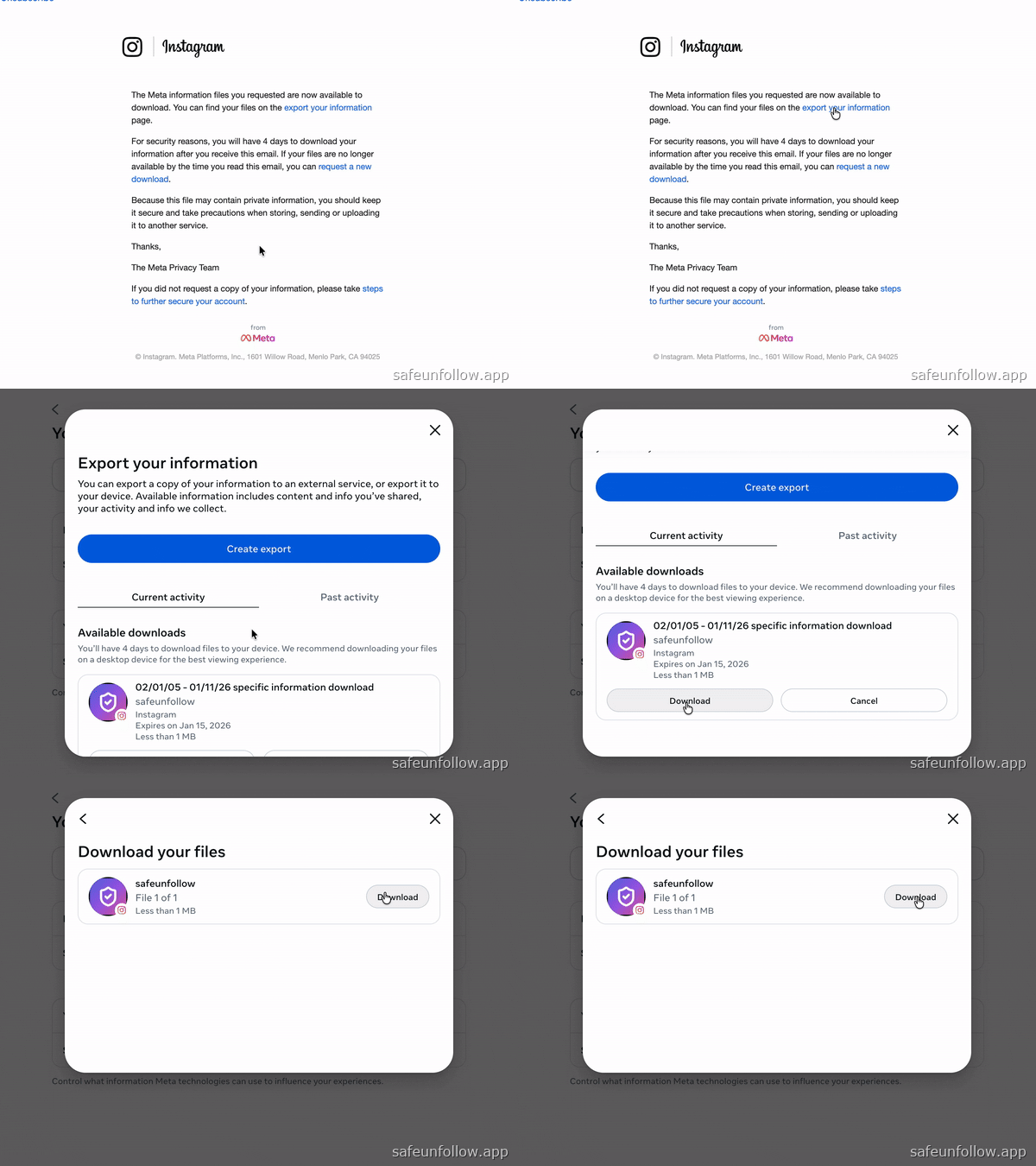
Wait for Email & Download
Instagram emails you when ready (5-30 min). Download the ZIP file from the email link.
 Open step in guide
 - 9
Upload Your File
You're ready! Click the button below to upload your Instagram data and see who unfollowed you.
Ready to start?
Scan and process your Instagram data export privately in seconds.
Frequently Asked Questions
No. Instagram doesn't provide a native unfollower list. The only safe methods are: (1) Manually checking followed accounts vs followers, or (2) Using your official data download with this tool. This tracker makes method 2 instant and free—no password, no login, no account risk.
This tracker uses your official Instagram data export (ZIP file) to analyze followers locally in your browser. No login required. All processing happens on your device—your data never reaches our servers. This method is safe because it uses Instagram's official export tool, not password scraping.
Yes, if they use your official Instagram data export. Apps requiring your Instagram password violate Terms of Service and pose security risks. Safe trackers use only the ZIP file from Instagram's Data Download tool—no login, no password required. This tool uses that method exclusively.
The ZIP file contains your profile info, followers list, following list, comments, posts, messages, saved items, and more. For unfollower tracking, the key files are followers_1.json (your followers) and following.json (who you follow). The tracker uses these two files to identify unfollowers and non-mutuals.
Instagram Data Download (via Meta Accounts Center) is the official tool for exporting your account information including followers and following lists. It's the only safe, authorized way to access this data without risking your account. Apps that ask for your password violate Instagram's Terms of Service.
Yes, 100% safe. Unlike apps that ask for your password and 'scrape' data (which violates Terms of Service), this tool uses your official data export. No login required—you download the ZIP directly from Instagram, then upload it locally to your browser. We never access your account.
Meta typically sends your data within 5-30 minutes via email. Larger accounts or high server load may take up to a few hours. After you download the ZIP, uploading it to this tracker for analysis is instant—processing takes seconds even for million-account exports thanks to local browser processing.
This tracker handles exports up to 1,000,000+ accounts. We use columnar storage and bitset indexing for lightning-fast filtering—processing massive datasets in under 5ms. Whether you have 100 followers or 1M+, the tool remains fast and responsive. Tested and verified with real exports.
Yes. This tool is 100% free, open-source (MIT license), and includes no subscriptions, paywalls, or hidden limits. Most alternatives charge $5-10/month. This tracker uses your official Instagram data export processed locally, eliminating server costs entirely. View our code on GitHub.
Upload your Instagram ZIP file to this tracker. The tool unpacks your follower/following lists locally in your browser, compares them, and highlights who unfollowed you. Results show unfollowers, non-mutuals, mutual followers, and more—all processed offline with zero server involvement. Takes under 30 seconds for typical exports.
SafeUnfollow uses Instagram's official data export feature (available in Meta Accounts Center) instead of your password. You download your follower data as a ZIP file directly from Instagram, then upload that file here. The app reads the JSON files inside the ZIP to compare followers vs following lists—all processing happens in your browser. No API access, no scraping, no login credentials needed.
For most users, yes. SafeUnfollow is 100% free, requires no login (eliminating account ban risk), processes data locally (maximum privacy), handles 1M+ accounts (most paid apps cap at 100K), and is open source. Paid apps offer real-time monitoring which requires API access—but that violates Instagram's Terms of Service and risks your account. SafeUnfollow uses the official, safe data export method.
Yes! SafeUnfollow works in any modern mobile browser (Safari, Chrome, Firefox). Visit safeunfollow.app, upload your ZIP file, and see results instantly. You can also install it as a PWA (Progressive Web App) for quick access from your home screen. The app is optimized for mobile—81% of our users are on phones. Request your data export from the Instagram app, download the ZIP from your email, then upload it here.
Start Your Private Analysis Today
Join thousands of privacy-conscious users who track their followers without risking their accounts.
100% Free • No Login • Privacy First